8K IPTV Installation Guide
Set up your LuxeStream experience in minutes. Choose your device and follow the simple steps below to begin your cinematic journey.
Supported Device

Smart TV
SAMSUNG & LG

Mobile
SAMSUNG & LG

FireStick
AMAZON

PC / Mac
WEB PLAYER
Smart TV Setup
Follow these steps to install the recommended IBO Pro Player on your Samsung or LG Smart TV.

Open App Store
Navigate to the App Store on your Samsung or LG Smart TV.

Search & Install
Search for "IBO Pro Player" or "IPTV Smarters Pro" and install the application.

Enter Credentials
Open the app and enter the Login, Password, and Server URL provided in your confirmation email.
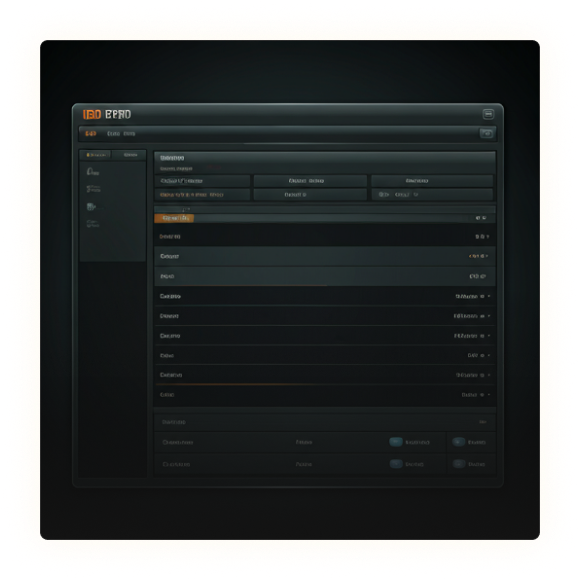
Strong 8K Compatible Devices
Select your device platform to view specific setup instructions
LG Smart TV
- Open the LG Content Store on your TV.
- Search for IBO Pro Player.
- Install and open the app.
- Locate your MAC Address and Device Key.
- Send a screenshot of both to our WhatsApp support for activation.
Samsung Smart TV
- Open the Samsung App Store.
- Search for IBO Pro Player.
- Install and launch the app.
- Find your MAC Address and Device Key.
- Send the details to our support team for activation.
Android / Hisense Smart TV
- Open your TV’s app store or Google Play Store.
- Install IBO Pro Player.
- Launch the app and note your MAC Address and Device Key.
- Send the details to our WhatsApp support team.
- Once activated, your IPTV service will be ready to use.
Roku TV
To use IPTV on Roku TV, we recommend installing a compatible IPTV player from the Roku Channel Store, if available in your region.
- Open the Roku Channel Store.
- Search for a compatible IPTV Player.
- Install the app and follow the setup instructions.
- Use the IPTV login details provided by our support team.
01
Prepare Firestick for app install
• Go to Settings > My Fire TV
• Developer Options
• Turn ON ‘Apps from Unknown Sources’ and ‘ADB Debugging’
02
Install Downloader (AFTVnews)
• Search for ‘Downloader’
on the Home screen
• Install from Amazon App
Store
• Grant permissions to
access storage
03
Install B1G Player
• Enter code in Downloader:
5637737
• Download B1G Player app
• Click Install when prompted
04
Login and start watching
• Open the B1G Player
app
• Enter your credentials
• Stream Live Sports &
Local Channels
LG Smart TV
- Open LG Content Store
- Search for IBO Player or CR7Player
- Install and open the app
- Add your login details (Xtream / M3U)
Samsung Smart TV
- Open Samsung App Store
- Search for IBO Player or CR7Player
- Install, open, and login with your IPTV details
Roku TV (USA)
Roku has restrictions and supported apps may vary by region/store.
- Search in Roku Store for compatible IPTV players (if available)
- Use Firestick on your Roku TV (recommended)
- Or cast from Android/iPhone using supported apps
iPhone / iPad
- Open App Store
- Search and install Smarters Player Lite
- Install IBO Player
- Install VU IPTV Player (mobile-friendly)
- Open the app and login with your IPTV details
- Allow a minute for playlists and channels to load
Apple TV
- Open Apple TV App Store
- Install a compatible IPTV player
- Enter your Xtream details and start streaming
Windows PC Setup
- Open Microsoft Store
- Download IBO Player or IPTV Smarters Expert
- Open the app and add your login details
- Use Xtream Codes API (recommended)
- Save and start streaming
MacBook (macOS) Setup
- Open App Store
- Install Smarters Player Lite or IBO Player
- Open the app
- Login with your IPTV details
- Start watching
MAG Box & STB Devices Setup
- Find your device MAC Address
- Usually located in Settings > System Info
- Looks like: 00:1A:79:XX:XX:XX
- Send your MAC address to our support team
- We will add it to our server and provide your Portal URL
- Enter the Portal URL in your MAG device settings
- Restart the device and channels will load automatically
CommonQuestions (FAQs)
Find everything you need to know about setting up your premium 8K experience. Our support team is always one click away.
What is 8K Premium IPTV?
Srtrong 8K IPTV is a high-quality streaming service offering 36,000+ live TV channels, 180,000+ VOD (movies & series), and 4K/8K Ultra HD content for an unbeatable viewing experience.
Which devices are supported?
Our service works on Firestick, Android TV, Smart TVs (Samsung/LG), iOS, Windows, Mac, MAG boxes, and more.
Do you offer a free trial?
Yes! We provide a 24 hour free trial (no credit card required) so you can test our service risk-free.


